TRACE
Personal, 2026
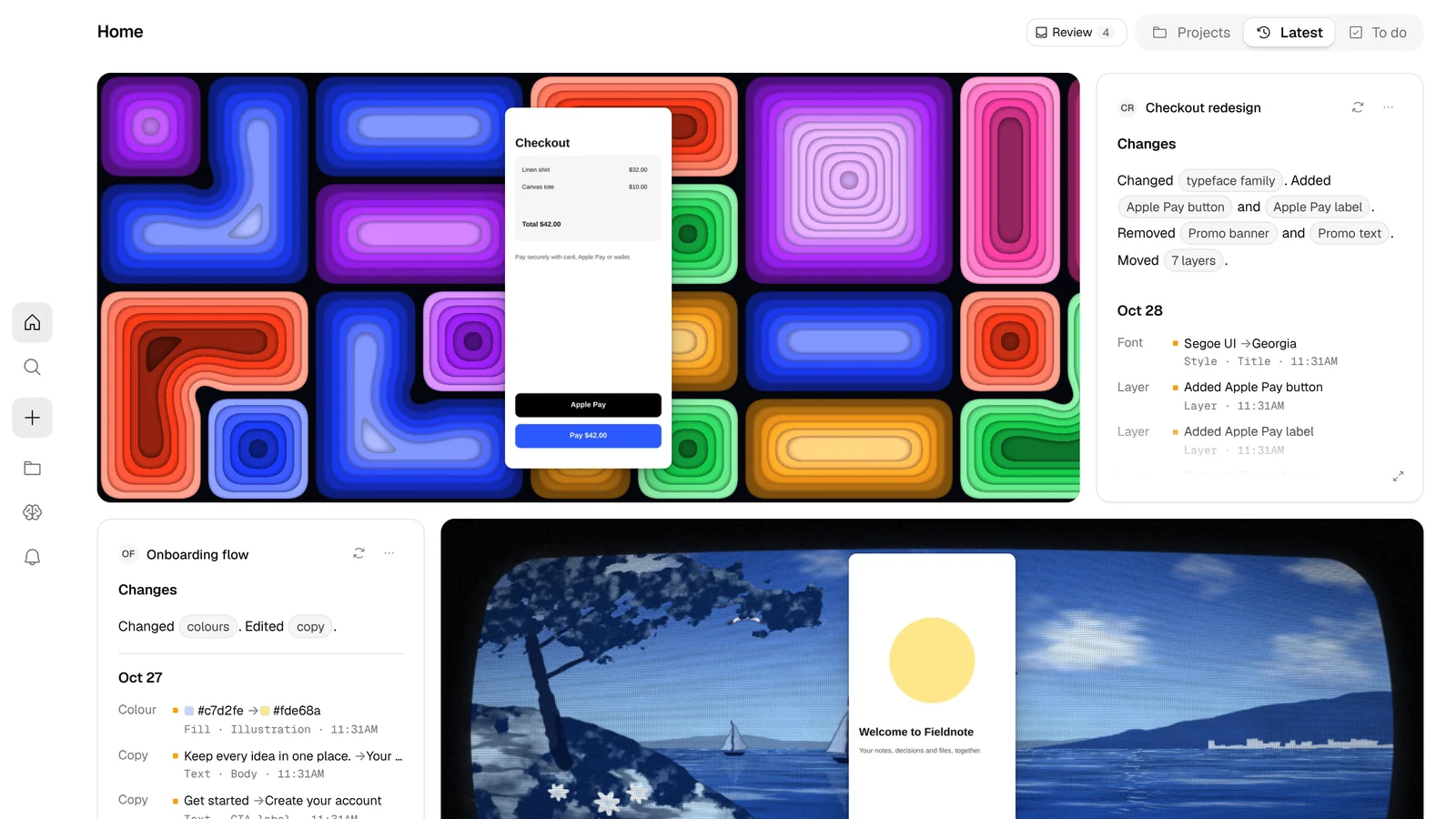
A design memory for people and AI agents. It captures work from Figma, GitHub and folders, writes the changelog itself, and hands that context to every agent, so nobody has to re-explain a project again.
Overview
TRACE is a design context engine. It watches the tools I design and build in, groups raw saves into moments, writes the changelog from what actually changed, and files everything into a project.
That memory goes two ways: to people as a timeline, diffs, a canvas and a case study, and to AI agents like Claude Code, Codex and Cursor through an MCP server.
The Challenge
When I hand design work to an AI agent or a teammate, I want them to already know the project's history, decisions and current state. Instead I kept re-explaining it every session and writing changelogs by hand.
The persona is me: a solo design engineer who designs in Figma or Framer and builds with Claude Code. The one action the whole product hangs on is simple. Connect a tool once, then confirm what TRACE captured.
What I Did, and What I Didn’t
What I did
- Framed the job, the persona and the one core action, then scoped the product into 15 features.
- Designed the whole interface: home feed, project timeline, canvas of blocks, case study, to-do board and Ask.
- Built it end to end with Claude Code: a local server, an MCP server for agents, and a React app on shadcn/ui and Fluid Functionalism.
- Measured the app walk and made it faster, from 15 min for 28 screens to 2 min 47 s for 37.
What I didn't
- Run the Figma and GitHub connectors against live accounts yet. They're written to the documented APIs and proven on a sample project.
- Ship a hosted version. It runs on your own machine, with no billing, browser extension or email-in.
- Use real embeddings. Search similarity is local and offline for now, with an upgrade path in the code.
- Test Cursor and Copilot memory reading on real chats. There were none on my machine to test with.
Where the Context Gets Lost
Before designing anything, I traced where a project's context actually lives during a normal week of work. It was spread across four places, and none of them talked to each other.
Agents start every session cold.
- Every new chat means re-explaining history and decisions.
Changelogs are written by hand.
- Or more honestly, not written at all.
The work is split across tools.
- Design in Figma, code in Git, the reasons buried in chat logs.
Every AI keeps its own memory.
- What Claude learned never reaches Cursor or Codex.
Design Principles
A memory tool only works if it's trusted and costs nothing to keep up. These four rules shaped every screen.
Connect a tool once. After that, the only job is confirming what TRACE captured in the review inbox, one key per moment.
Changelogs are written by rules from what actually changed, like "Decreased font size. Changed colours.", so nothing is made up.
The same memory people browse is served to agents over MCP, so the next AI already knows what the last one learned.
When a component file changes, TRACE draws it, so a code change shows up as a picture with a diff, just like a Figma change.
The Product
Screens below are from TRACE running its own sample project.
Problem
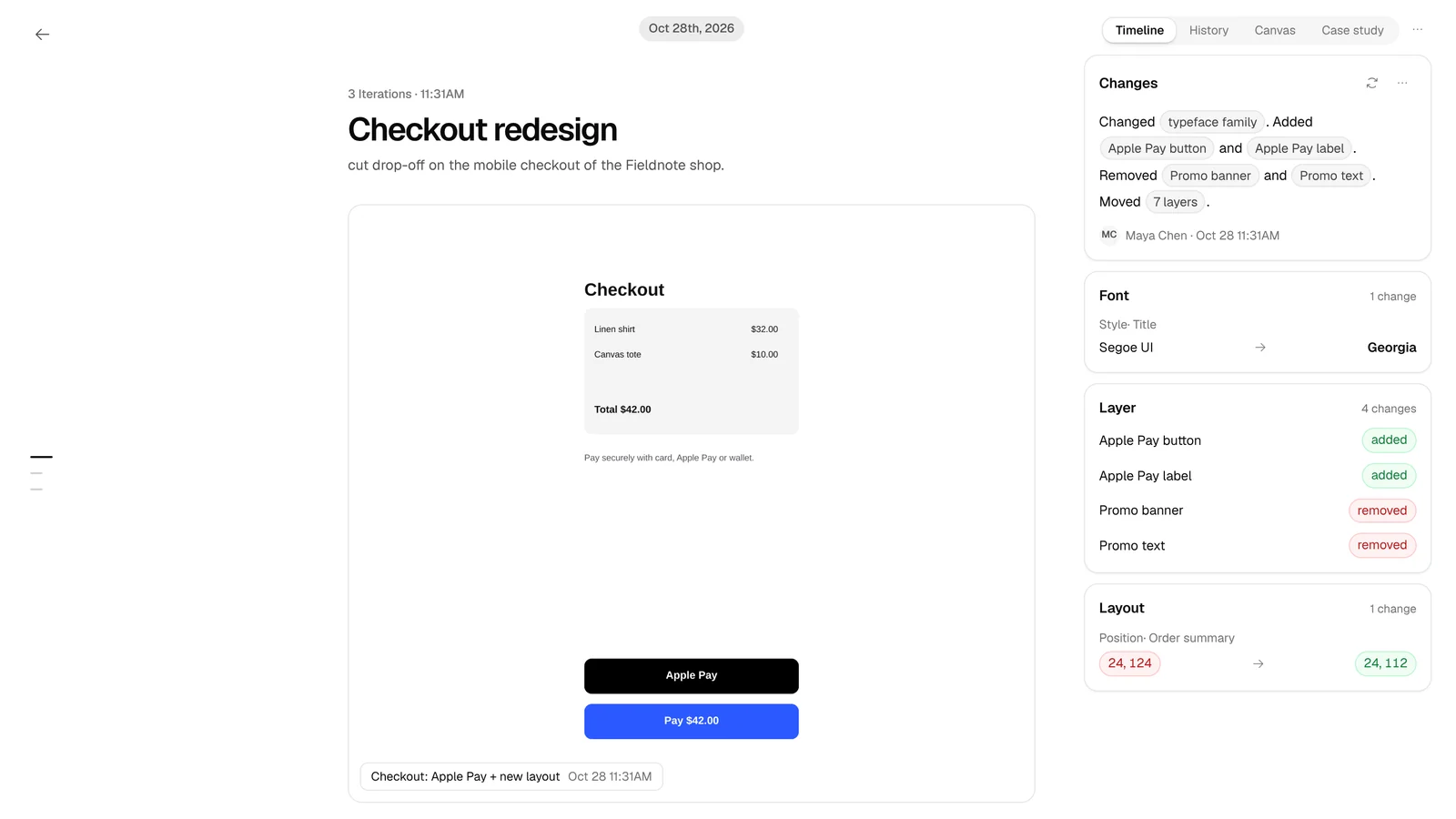
Seeing what changed between iterations meant scrubbing through Figma versions or git logs.
Solution
Every iteration runs down the middle, newest first, with change cards beside it: one per kind of change, each with its before and after values.
Why it works
You read what changed in a sentence, then check the exact values only if you need to.
Problem
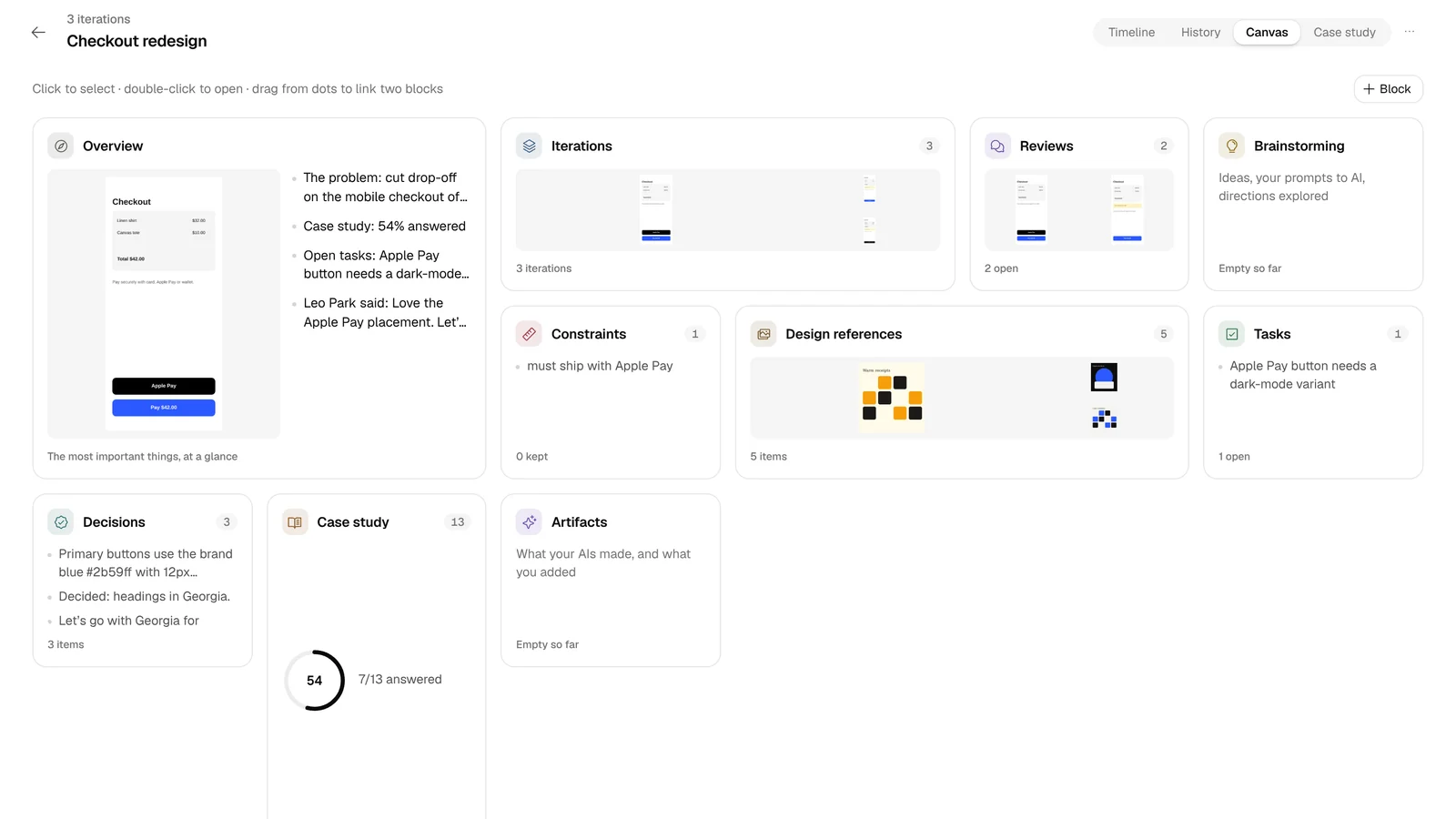
Briefs, constraints, references, decisions and reviews all lived in different docs.
Solution
A project canvas with a block for each: overview, iterations, reviews, constraints, references, tasks, decisions and the case study. Link two blocks and TRACE says what one means for the other.
Why it works
The whole project fits on one screen, and gaps show up on their own.
Problem
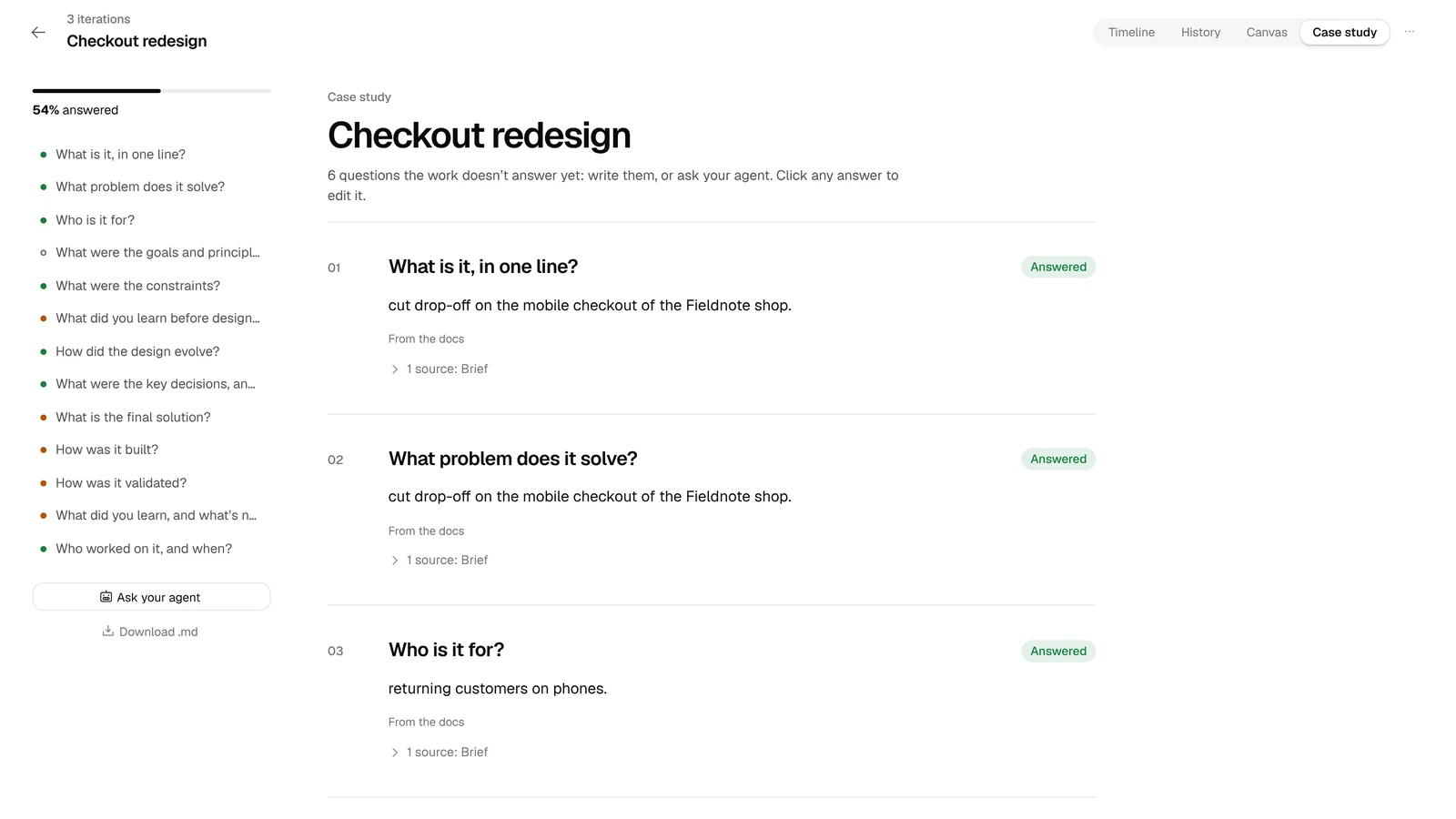
Writing a case study after the fact meant digging through weeks of work from memory.
Solution
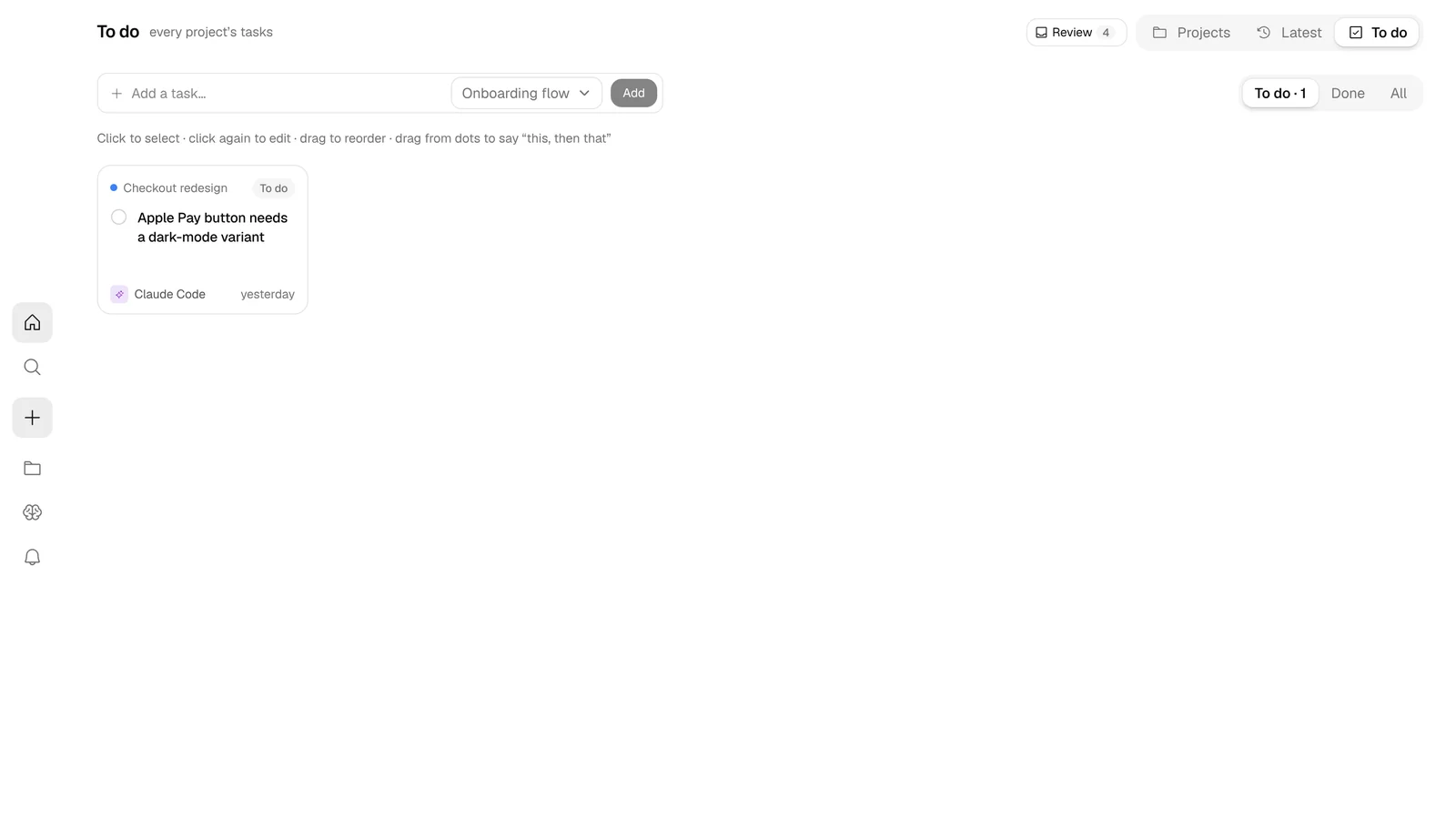
TRACE answers the case study questions from the work itself, each with its sources, and marks what's still open. Tasks live on a board you can drag and link.
Impact
The story of a project assembles itself while you work, instead of after.
Outcomes
TRACE is still in progress, but every feature in its PRD is built and it runs end to end on a sample project.
PRD features built
15 of 15
Full app walk
15 min → 2 min 47 s
Screens found per walk
28 → 37
AI tools it reads memory from
6
What I Learned
The hardest part of working with AI agents isn't the code they write, it's the context they don't have. Building TRACE also taught me to trust claims I can trace back to evidence, which is why its changelogs come from the diff and not from a model's guess.